
← Back to Resource Center
Portal How-To Reviewed Dec 23, 2025 1 min read
Portal How-To

How should I use the Calendar in the Patriot Conceptions Portal?

Use Calendar to track appointments, meetings, and medications, filter views, and manage availability.

Need help now?

Get support in minutes

Chat with our assistant, visit your portal, or reach a care manager for appointment guidance.

What the Calendar does

  • Track appointments, meetings, and medications.
  • Manage your availability for scheduling.

Calendar overview

View event details

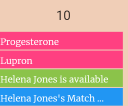
Tap any event tile to see details or actions (like marking a medication complete).
Event details

Filter events

Desktop

Hover over the Filter bar on the right to open filters.

Desktop filter

Mobile

Tap the Filter bar on the right to open filters.

Mobile filter

Select the event types you want to display.

Filter selections

Use the left/right arrows or the month picker.

Change month

Change view types

Switch between Month, Timeline Week, Day, or Schedule. Use Today to jump back to the current date.

Change view

Sources & last reviewed

Reviewed by Patriot Conceptions Operations Team. Last reviewed Dec 23, 2025.