← Back to Resource Center
Portal How-To Reviewed Dec 23, 2025 1 min read
Portal How-To

How do I set my available times in the Patriot Conceptions Portal?

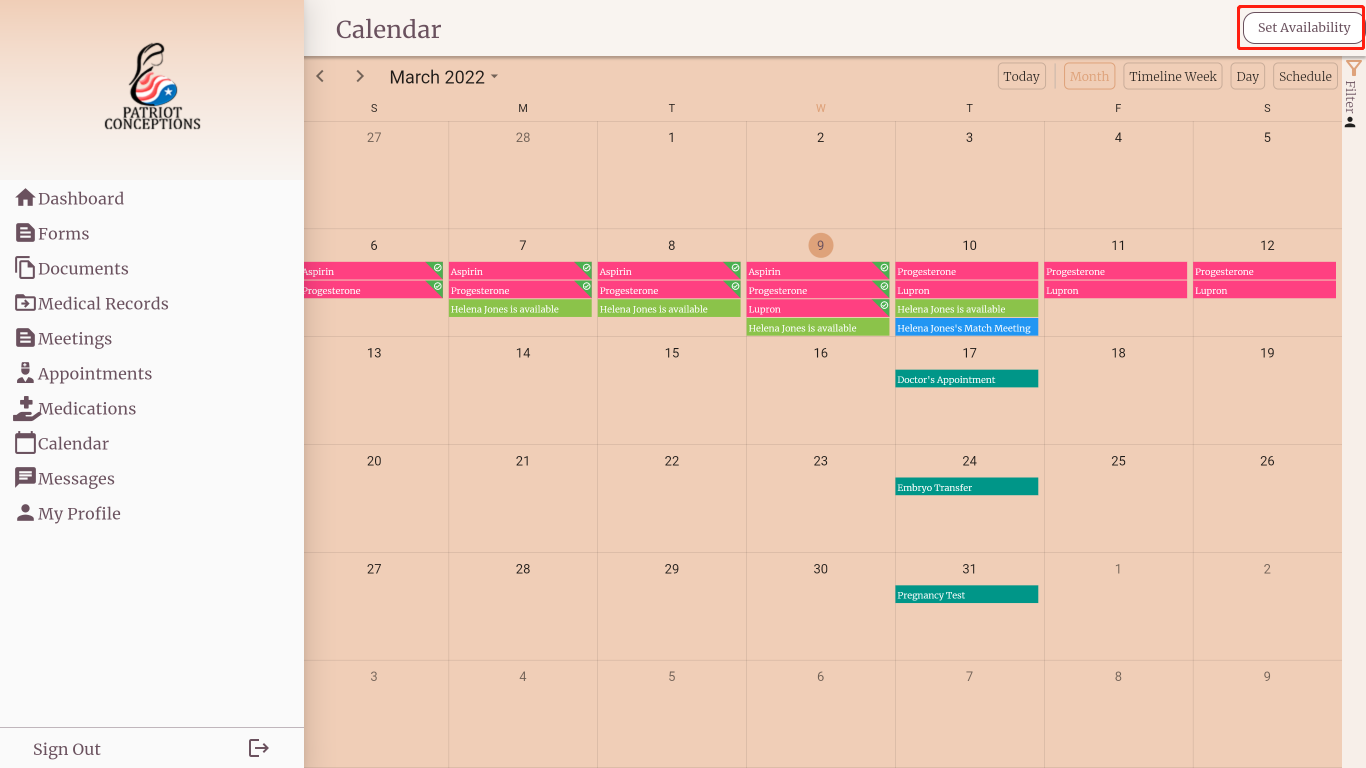
Use Calendar > Set Availability to choose a date range and set start/end times, then save to see availability tiles.

Need help now?

Get support in minutes

Chat with our assistant, visit your portal, or reach a care manager for appointment guidance.

Quick steps

  1. Open Calendar from the menu bar.
  2. Select Set Availability.
  3. Choose a date range and set start/end times.
  4. Tap Save Availability.

Set availability

Set the range and times

Press Set Date to choose a date range. Use Set Start Time and Set End Time to define daily availability.

Select dates

Confirm on the calendar

After saving, your availability appears as green tiles on the Calendar.

Availability tiles

Sources & last reviewed

Reviewed by Patriot Conceptions Operations Team. Last reviewed Dec 23, 2025.